Best WordPress Caching Plugins for High-Traffic Marketplaces (2026)
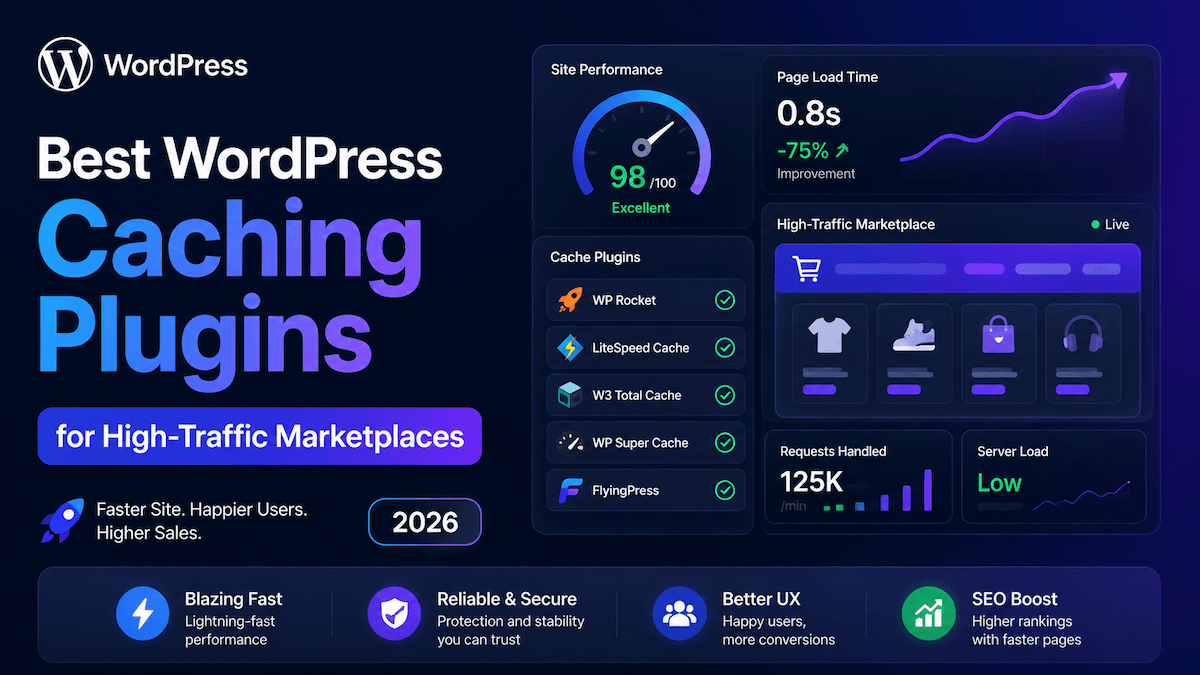
Speed is not a feature — it is the foundation of marketplace revenue. For every second of page load delay, ecommerce conversion rates drop by an average of 4.42% per second in the first five seconds of load time (Portent, 2026). On a marketplace doing $50,000 per month, even a two-second load time improvement translates directly into thousands of dollars in recovered revenue — from the same traffic budget, no extra spend required.
High-traffic marketplaces face caching challenges that standard WordPress blogs never encounter: dynamic cart and checkout pages that cannot be cached, user-specific pricing for logged-in vendors and buyers, real-time stock and inventory states, simultaneous buyer and seller dashboards, and AJAX-driven category filters that must remain live while surrounding content is cached. Generic caching advice breaks all of these.
This guide cuts through the noise. It covers the only caching plugins worth evaluating for a WordPress marketplace in 2026, verified against real-world benchmark data from Q1 2026, and shows you exactly how to pair caching with the right marketplace stack — including WPninjaDevs’ Eidmart theme and MediaHaven video plugin — for a performance architecture that scales.
A content blog has mostly static pages. A marketplace has constant dynamics:
For an Eidmart-powered marketplace specifically, these dynamic surfaces include the EDD (Easy Digital Downloads) cart, the vendor Front-End Submission (FES) dashboard, the customer download panel, the live audio player, and any MediaHaven video gallery with AJAX view counters and live filters.
The correct caching architecture for a marketplace does not cache everything — it caches what is safe to cache and bypasses everything that must remain dynamic. Getting this wrong causes checkout failures, stale pricing, broken download links, and vendor dashboard errors that directly cost sales and erode seller trust.
Based on Q1 2026 benchmark data from WPTroubleshoot (March 21, 2026), testing across 50+ client implementations spanning e-commerce, media, and SaaS sites:
| Plugin | LCP (best configuration) | Best for | Key limitation |
|---|---|---|---|
| LiteSpeed Cache | ~0.9s | LiteSpeed/OpenLiteSpeed servers | Server-dependent; reduced on Apache/Nginx |
| WP Rocket | ~1.2–1.4s | Apache/Nginx, WooCommerce, EDD | No built-in object cache; $59/year |
| FlyingPress | ~1.1s | Core Web Vitals optimization, high-traffic | Requires technical knowledge |
| W3 Total Cache + Redis | ~1.4s (optimized) | Developers on VPS/dedicated servers | Complex configuration |
| WP Super Cache | ~1.8s | Small sites, beginners | Limited WooCommerce/EDD exclusion handling |
| NitroPack | ~1.3s | Set-and-forget convenience | $21/month minimum; poor on high-volume stores |
Sites using correctly configured caching stacks see average LCP improvements of 60–70% within 48 hours of proper implementation (WPTroubleshoot, 2026).
Rating: ⭐⭐⭐⭐⭐ (on LiteSpeed hosting) Cost: Free (QUIC.cloud CDN has paid tiers for high volume) Best for: Marketplaces hosted on LiteSpeed or OpenLiteSpeed servers (Hostinger, A2 Hosting, SiteGround select tiers)
LiteSpeed Cache is the most powerful free WordPress caching plugin available in 2026 — on compatible hosting. Its defining characteristic is server-level caching via LSCAPI (LiteSpeed Cache API). Rather than serving cached pages through PHP, it hands caching to the web server itself, which is architecturally faster than any PHP-based solution.
ESI (Edge Side Includes): LiteSpeed Cache supports ESI, which solves one of the hardest marketplace caching problems. ESI lets you cache a page while leaving “holes” where dynamic content (like a cart count or user-specific pricing) is filled in separately. The result is a fully cached page that still displays real-time, user-specific data. This is exactly what a marketplace product page needs.
Built-in Redis/Memcached object cache: LiteSpeed Cache integrates Redis and Memcached natively — no separate Redis Object Cache plugin required. Object caching stores database query results in memory, reducing database load by 60–80% on dynamic sites (WPTroubleshoot, 2026). For an EDD marketplace with high query volume from product listings, vendor data, and purchase records, this is substantial.
Guest Mode: Dramatically improves load time for first-time visitors by bypassing cookie checks and cache variation processing. Most marketplace visitors are unauthenticated browsers — Guest Mode ensures they get the fastest possible page serve.
QUIC.cloud CDN + HTTP/3 support: The integrated CDN uses QUIC protocol, enabling HTTP/3 connections for faster delivery globally. Image optimization, WebP conversion, and CSS/JS minification are all included.
Pages to exclude from cache:
/cart/
/checkout/
/account/
/edd-*
/vendor-dashboard/
/wp-admin/
For Eidmart specifically: Exclude the FES (Frontend Submission) vendor pages, the EDD purchase confirmation page, and any page rendering the live audio player or active MediaHaven gallery AJAX endpoints.
Limitation: If your marketplace is not on LiteSpeed hosting, the server-level caching advantage is lost. On Apache or Nginx, LiteSpeed Cache still functions but becomes a mid-tier option rather than the standout performer.
Rating: ⭐⭐⭐⭐½ Cost: $59/year (1 site) | $119/year (3 sites) | $299/year (unlimited) Best for: Marketplaces on Apache or Nginx hosting (most managed WordPress hosts — Kinsta, WP Engine, Rocket.net, Bluehost)
WP Rocket is the most widely recommended paid caching solution for WooCommerce and EDD stores in 2026. Its market position is built on two strengths that matter enormously for marketplace operators: automatic e-commerce exclusions and zero-configuration baseline performance.
Automatic EDD and WooCommerce page exclusions: WP Rocket detects EDD and WooCommerce installations and automatically excludes the cart, checkout, and My Account pages from the page cache. This is the number-one configuration mistake that breaks marketplace checkout flows. WP Rocket handles it without manual intervention.
Delay JavaScript execution: WP Rocket’s JavaScript delay feature defers JS loading until user interaction, directly improving Interaction to Next Paint (INP) — one of Google’s three Core Web Vitals metrics for 2026. Marketplace pages with heavy JavaScript (AJAX filters, dynamic pricing, vendor dashboards) benefit significantly.
Redis/Memcached compatibility: WP Rocket has no built-in object cache driver, but it integrates cleanly with the Redis Object Cache plugin for WordPress. On managed hosts that include Redis (Kinsta, WP Engine, Rocket.net), adding Redis object cache alongside WP Rocket creates a high-performance two-layer stack: page cache via WP Rocket, query cache via Redis.
Database cleanup scheduling: WP Rocket schedules automatic database optimization — removing post revisions, transients, and expired session data on a recurring basis. For high-volume EDD marketplaces that generate large numbers of transient entries and purchase records, this prevents gradual database bloat that degrades query performance over time.
Real-world validation: A 2026 case study from WPTroubleshoot describes an Elementor + WooCommerce site with checkout failures caused by incorrect caching configuration. Installing WP Rocket and activating it resolved all checkout failures within minutes — no manual exclusion configuration required.
Rating: ⭐⭐⭐⭐½ Cost: ~$60/year Best for: Technically confident marketplace operators who want maximum Core Web Vitals scores
FlyingPress is the plugin performance specialists reach for when Core Web Vitals scores are the primary concern. It consistently produces the best LCP and INP results in comparative benchmarks and is “usually first to release new features while WP Rocket trails” (Online Media Masters, 2026).
Trade-off: FlyingPress requires more technical familiarity than WP Rocket to configure correctly for complex marketplace environments. The feature depth that makes it powerful also makes incorrect configuration more consequential.
Rating: ⭐⭐⭐⭐ (properly configured) | ⭐⭐ (default configuration) Cost: Free (W3 Total Cache Pro: $99/year) Best for: Developers managing marketplace infrastructure on VPS or dedicated servers with full server access
W3 Total Cache is one of the oldest WordPress caching plugins, with over 1 million active installations. Its strength is not ease of use — it is architectural flexibility. For a developer running an Eidmart marketplace on a VPS or dedicated server with nginx, Redis, and Varnish in the stack, W3 Total Cache provides configuration depth that no other plugin matches.
Important: W3 Total Cache at default settings produces a 2.1s LCP in benchmark tests. With proper Redis object caching configuration, this drops to ~1.4s (WPTroubleshoot, 2026). The performance is there — but it requires configuration. A marketplace operator without server access or development experience should choose WP Rocket instead.
The highest-performing marketplace setup in 2026 is not a single plugin — it is a three-layer stack where each layer addresses a different type of request:
Layer 1: Page Cache (full-page HTML for unauthenticated visitors) → LiteSpeed Cache (on LiteSpeed hosting) or WP Rocket (on Apache/Nginx)
Layer 2: Object Cache (database query results stored in memory) → Redis via built-in LiteSpeed Cache object cache, or Redis Object Cache plugin with WP Rocket
Layer 3: CDN (static assets — images, CSS, JavaScript — served from edge locations) → QUIC.cloud (with LiteSpeed), Cloudflare (free or paid), or Rocket.net
Why all three layers matter:
For an Eidmart marketplace with MediaHaven galleries:
Run this checklist after setting up any caching plugin on an Eidmart or EDD-based marketplace:
Essential exclusions:
[edd_*] shortcodes verified as excluded or tested post-cachingAJAX and dynamic features — test after enabling cache:
JavaScript delay — test all interactive elements:
Performance verification:
Your hosting environment determines your caching ceiling:
| Hosting type | Best caching approach | Expected outcome |
|---|---|---|
| LiteSpeed hosting (Hostinger, A2 Hosting, SiteGround LiteSpeed tiers) | LiteSpeed Cache + QUIC.cloud CDN + Redis object cache | Highest possible performance, completely free |
| Managed WordPress (Kinsta, WP Engine, Rocket.net) | WP Rocket + Redis Object Cache (host-provided) + Cloudflare | Excellent results, minimal configuration required |
| Shared Apache/Nginx hosting | WP Rocket or FlyingPress + Cloudflare free CDN | Good performance within shared hosting constraints |
| VPS/Dedicated server (developer-managed) | W3 Total Cache + Redis + Varnish + CDN | Maximum architectural flexibility and performance ceiling |
| Budget shared hosting | WP Super Cache (free) or WP Fastest Cache Pro ($49.99 one-time) | Basic improvement; hosting itself is the primary bottleneck |
For a marketplace operator, caching is not an IT decision — it is a revenue decision.
The average ecommerce conversion rate is 1.89–3% globally (IRP Commerce / Shopify, 2026). Sites using systematic performance optimization consistently achieve 4.5%+ conversion rates — a 50–350% revenue increase from the same traffic (Build Grow Scale, 2026).
A marketplace converting at 2% on 20,000 monthly visitors at a $50 average order value generates $20,000/month. At 3.5% (achievable with proper performance + UX optimization), that becomes $35,000/month from the same traffic. The revenue difference — $15,000/month — dwarfs the $59/year cost of WP Rocket by orders of magnitude.
Caching is the single highest-ROI technical investment a marketplace operator can make. Configure it correctly once, and it runs at scale with no additional cost per visit.
| Situation | Choose |
|---|---|
| LiteSpeed hosting, any budget | LiteSpeed Cache (free) |
| Apache/Nginx, want reliability with minimal setup | WP Rocket ($59/year) |
| Need maximum Core Web Vitals scores | FlyingPress (~$60/year) |
| VPS/dedicated server with technical team | W3 Total Cache + Redis + Varnish |
| Tight budget on shared Apache/Nginx hosting | WP Super Cache (free) to start |
| Never run two caching plugins simultaneously | Rule, not a recommendation |
Build your Eidmart marketplace: Eidmart Demo
Add video monetization with MediaHaven: mediahaven.io

Shafinur Ahmed is a Technical Content Writer at WPninjaDevs, creating insightful and practical content for WPNinjaDevs, MediaHaven, and TechIdem. He specializes in WordPress, video technology, web hosting, SaaS, and emerging technologies, helping bus...
MediaHaven makes adding, organizing, and monetizing videos in WordPress simple.
Forget coding—start displaying videos like a pro.