WooCommerce Product Page Optimization: Boost Sales on Your Marketplace
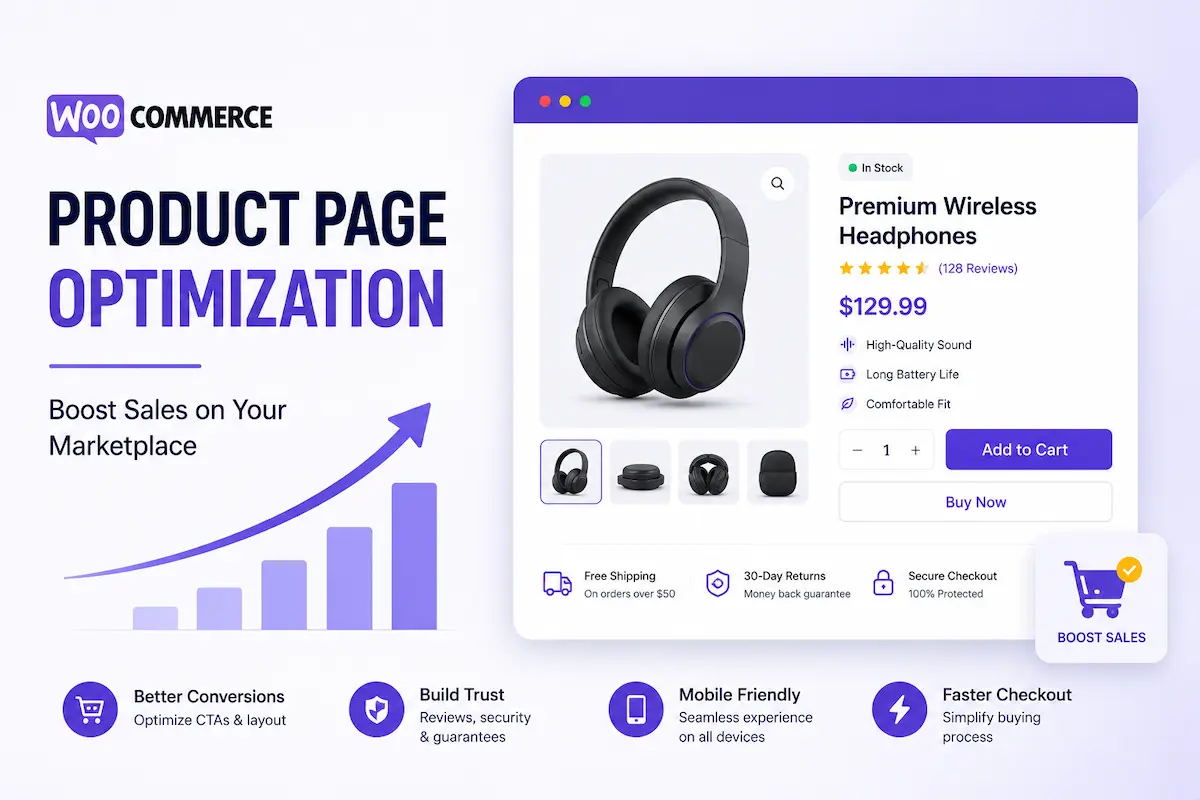
Your product page is the most important real estate on your entire marketplace. It is the moment of decision — the precise point where a visitor becomes a buyer or bounces to a competitor. Every element on that page either accelerates that decision or undermines it.
The data from 2026 is unambiguous: visitors who land directly on a product page convert at an average of 7%, compared to just 2–2.5% for visitors who arrive on a homepage and browse (CommerceGurus, 2026). That 3–4x conversion premium means every optimization you make to a product page compounds across your entire catalogue.
For WordPress marketplace operators running Eidmart with Easy Digital Downloads (EDD) and MediaHaven, this guide covers every dimension of product page optimization — above the fold, trust signals, video, pricing psychology, mobile experience, and SEO — with specific implementation guidance for the WPninjaDevs stack.
Before tactics, the scale of the opportunity. WooCommerce powers 30–38% of all ecommerce websites globally, with approximately 6.5 million live stores processing an estimated $35 billion in annual GMV (APEX Digital, April 2026). The average store converts between 1.89–3% of traffic. Optimized stores — those running systematic product page CRO — achieve 4.5%+ consistently.
For a marketplace with 15,000 monthly product page visitors at a $65 average order value:
| CVR | Monthly orders | Monthly revenue |
|---|---|---|
| 2.0% | 300 | $19,500 |
| 3.5% | 525 | $34,125 |
| 5.0% | 750 | $48,750 |
The difference between an unoptimized and a fully optimized product page stack: +$29,250/month from the same traffic. This is not theoretical — it is the consistent finding across 30+ A/B testing programs run on ecommerce storefronts in 2026 (Build Grow Scale, 2026).
Eidmart gives you 10 product detail page styles and 5 archive/filter page layouts — confirmed from the official wpninjadevs.com product page (verified April 2026). This is not a single template. It is a conversion testing infrastructure.
| Page style | Optimized for |
|---|---|
| General Style | Service listings and software products |
| Product Landing Page 1–4 | Software, SaaS, premium digital products with persuasive pitch structure |
| Photography Single | High-quality image products, visual portfolios |
| Video Single | Video templates, film assets, motion graphics |
| Audio Single | Music tracks, sound effects, audio templates |
| Graphics Single 1 & 2 | Design assets, UI kits, icon sets |
Each page style is built with Elementor’s drag-and-drop interface and 80+ premium Elementor widgets (confirmed, wpninjadevs.com). This means you can rearrange, replace, and test every section without touching a line of code.
The optimization work you do on these pages directly determines your marketplace’s revenue ceiling. Here is exactly what to optimize and how.
The first screen a visitor sees — before any scrolling — determines whether they stay to evaluate or immediately leave. On a product page, above-the-fold real estate must accomplish four things within 3 seconds:
Eidmart implementation: Eidmart’s Sticky Price feature (confirmed feature, wpninjadevs.com) keeps the pricing block and purchase button visible as visitors scroll. This means your CTA is never more than a glance away regardless of how long your product page is.
Above-the-fold content checklist:
The WooCommerce product page analysis from Techomatic (2026) is direct: “Above the fold, show a crisp product image, price, key benefits in plain English, stock status, primary call to action and one trust element. Keep the layout calm so the eye moves naturally from title to price to button.”
Video is the single highest-impact conversion element available on a digital product page in 2026. Product videos increase purchases by 20–60% (WooCommerce Statistics, Marketing LTB, April 2026). The reason is behavioral: buyers evaluating digital products — themes, plugins, templates, audio tracks, video assets — cannot hold the product in their hands. A 60–90 second demonstration video is the closest equivalent.
Without video, buyers make decisions based on static screenshots and text descriptions. With video, they see the product in motion, understand what they’re buying, and arrive at checkout with dramatically less hesitation.
MediaHaven Lite (free, from wordpress.org/plugins/mediahaven-lite) gives you a full video gallery and HLS player that embeds directly on Eidmart product pages via shortcode.
Types of video that convert on marketplace product pages:
MediaHaven implementation on Eidmart product pages:
.mp4, or HLS stream)[wpnd_mhpro_views id="X"]MediaHaven’s SEO bonus: Every video gets automatic schema.org VideoObject markup (confirmed free feature, WP.org plugin page). This makes your product demo videos eligible for Google video rich results — a visual clickable thumbnail that appears directly in Google search results for your product’s keywords.
With MediaHaven Pro ($79/year): Add VAST pre-roll ads to product demo videos, generating ad revenue from every video play in addition to the product sale revenue itself.
98% of consumers read reviews before purchasing. Displaying reviews increases conversion rates by up to 270% (Yotpo, January 2026). For high-priced digital products ($100+), 5 reviews alone increase likelihood of purchase by 380% (Spiegel Research Center, cited by Digital Applied, 2026).
Eidmart includes a Product Review System (confirmed feature, wpninjadevs.com). EDD’s Reviews extension enables structured reviews with star ratings that appear on product pages and in vendor dashboards.
Placement matters more than most operators realize. Most marketplaces display reviews below the product description — often below the fold on mobile. Buyers who need social proof to make a decision may never scroll that far.
Correct review placement sequence:
Building your review volume:
New marketplace products start with zero reviews — a known conversion drag. Strategies to build initial social proof:
Purchase anxiety is the silent conversion killer. A buyer who has browsed your product for several minutes, read the description, and is intellectually ready to buy may still abandon because of an unresolved anxiety: “What if this doesn’t work for me?” “What if it’s not compatible?” “What if I can’t get a refund?”
Every trust signal on a product page reduces a specific anxiety. Stack them deliberately.
WPninjaDevs trust signals (sourced from official pages):
| Signal | Where to display | Anxiety it resolves |
|---|---|---|
| 14-day money-back guarantee | Near the Buy Now button, in footer badge | “I can’t get a refund if it’s wrong” |
| Secure checkout (Stripe, PayPal badges) | Checkout area and product page footer | “Is my payment information safe?” |
| Envato License Key Checker | On software product pages | “Is this authentic software?” |
| SupportCandy ticket system | Support tab on product page | “What happens if I have problems?” |
| weDocs documentation integration | Documentation tab for software | “Will I be able to figure this out?” |
| Active seller/follower count | Vendor profile section | “Is this vendor real and active?” |
| Product Q&A with vendor responses | Below main description | “I have a specific question” |
Urgency elements (when legitimate): Urgency signals lift conversion by 8–32% when they are real (Digital Applied, 2026). A deal countdown on a genuine limited-time offer, or a “Only 3 licenses left at this price” for a tiered license product, are legitimate uses. Eidmart’s Deal Alert system (cookie-controlled, confirmed feature) is the built-in tool for this — it fires a session-controlled alert to all site visitors, then suppresses until the next session.
How a price is presented has as much impact on conversion as what the price is. Pricing psychology is not manipulation — it is clarity. Present the value clearly, and buyers can make confident decisions.
Pricing optimization tactics for Eidmart/EDD digital product pages:
Tiered licensing clearly differentiated: EDD supports multiple price points per product — a common structure for digital marketplace products (Personal, Developer, Agency license tiers). Present these clearly with a benefit comparison table that makes the value progression obvious. Buyers often upgrade when the higher tier’s value is clear; they default to the cheapest when comparison is unclear.
Savings badges on sale prices: Show both the original price (strikethrough) and the current price. “~~$79~~ $49” with a “Save 38%” badge is more persuasive than “$49” alone, even if the buyer doesn’t know what the original price was.
Price per use framing: For expensive products, break down the price into a use-frequency comparison: “Less than $0.03 per project” or “Under $5/month for the license year.” This is particularly effective for agency license tiers.
Sticky price visibility: Eidmart’s Sticky Price feature ensures the pricing block follows visitors as they scroll through long product pages. The moment they’re ready to buy — after reading feature lists, reviews, or FAQ — the buy button is always within thumb reach.
Below the first scroll, your product page should follow a logical information architecture that answers the remaining questions buyers have after seeing the initial pitch:
Section order for maximum conversion:
For software and plugin products: Integrate weDocs (confirmed Eidmart integration) — a documentation tab on the product page that shows setup instructions, feature documentation, and changelog. Buyers evaluating a plugin want to know what they’re getting into technically. Transparent documentation signals a professional, supported product.
73% of ecommerce traffic is mobile (Statista, 2026). 58% of purchases happen on mobile devices (Digital Applied, 2026). If your product page is designed for desktop and adapted for mobile, you are losing more than half of your potential conversions.
Eidmart is fully responsive across all devices (confirmed feature). But responsiveness is the baseline, not the achievement. Mobile optimization requires additional attention:
Touch target sizing: The Buy Now/Add to Cart button must be large enough to tap comfortably with a thumb — at least 44×44px. Eidmart’s Sticky Price feature on mobile means the purchase CTA is always in the lower viewport zone — the natural thumb reach area on most phone sizes.
Mobile video performance: MediaHaven’s built-in lazy loading (confirmed free feature, WP.org) means video thumbnails only load as they scroll into view. On a mobile device with limited bandwidth, this prevents the product page from stalling on video-heavy content above the fold.
Eidmart’s responsive column controls (5 breakpoints: extra-small, small, medium, large, extra-large — added version 1.6.4 per changelog) mean gallery layouts and feature grids reflow correctly across every device size without custom CSS.
Mobile checkout frictionless flow: EDD’s Ajax cart (confirmed Eidmart feature) adds products to cart without page reloads. On mobile, every page reload risks losing the visitor. The Ajax cart keeps them in context through the add-to-cart moment, reducing drop-off between product page and checkout.
A conversion-optimized product page that nobody finds is not a revenue asset. Product page SEO drives organic discovery — the highest-intent, lowest-cost traffic channel.
On-page SEO structure for Eidmart/EDD product pages:
MediaHaven’s automatic VideoObject schema (confirmed free feature) makes every embedded product demo video eligible for Google video rich results — your product page competes for both text search queries and video search queries simultaneously.
Image alt text: Every product screenshot and preview image needs a descriptive alt text. For a theme product: “Audiomart audio marketplace product listing page — dark mode” is crawlable. “image001.jpg” is not.
If you are starting from an unoptimized state, work in this sequence for maximum revenue impact per hour invested:
| Priority | Optimization | Impact | Time to implement |
|---|---|---|---|
| 1 | Add MediaHaven product preview video | 20–60% purchase lift | 30 minutes per product |
| 2 | Activate Sticky Price | Eliminates scroll-back friction | 5 minutes (theme setting) |
| 3 | Move star rating above fold | Up to 270% review impact | 15 minutes in Elementor |
| 4 | Add money-back guarantee badge | Removes refund anxiety | 10 minutes |
| 5 | Create product FAQ section | Answers top pre-sale questions | 30–60 minutes per product |
| 6 | Enable EDD Ajax cart | Eliminates reload friction | Built-in, check it’s active |
| 7 | Enable Live Audio Player (audio products) | Direct purchase driver | 10 minutes (theme setting) |
| 8 | Optimize product title and meta description | SEO discoverability | 10 minutes per product |
Get Eidmart: wpninjadevs.com/downloads/eidmart-digital-marketplace-wordpress-theme — $59, free lifetime updates View all product page demos: eidmart.wpninjadevs.com/demo Add product video previews: wordpress.org/plugins/mediahaven-lite (free) MediaHaven Pro with VAST ads: mediahaven.io/pricing — $79/year, 14-day guarantee Custom development: wpninjadevs.com/start-your-project

Jilani Ahmed is the Founder and CEO of WPninjaDevs, where he leads the company's vision, product strategy, and engineering excellence. A passionate WordPress developer and entrepreneur, he specializes in building scalable, high-performance WordPress ...
MediaHaven makes adding, organizing, and monetizing videos in WordPress simple.
Forget coding—start displaying videos like a pro.